> For the complete documentation index, see [llms.txt](https://docs.p4.software/llms.txt). Markdown versions of documentation pages are available by appending `.md` to page URLs; this page is available as [Markdown](https://docs.p4.software/p4warehouse-english/tenant-full-guide/tenant-setup.md).
# Tenant Setup
\
Tenant configuration page consist of two tabs: 'General' and 'Login Screen'.In the 'General' tab users can add and update some basic information about their company and access license certificates and agreement.
### General
* Alias and Company name are set by the implementation team and cannot be changed by the end user.
* Add you company's primary phone number.
* Choose a preferred language using the dropdown menu as shown above.
### Address
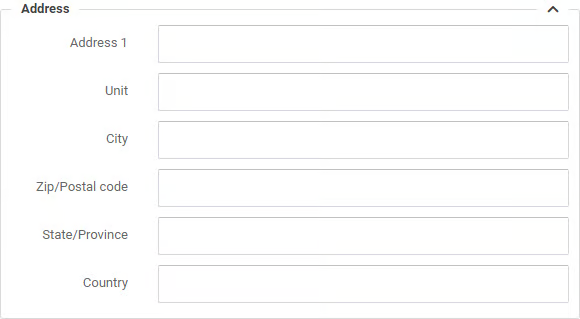
Add or edit your company's address in the section shown below.
Complete all of the fields or your Packslips and Labels will have missing data.
### License
* Expiry field indicates when is your current P4W license runs out.
* Users field shows how many users can utilize P4W system simultaneously.
* Links above allows user to view and email certificate, or access license agreement.
### Document printing
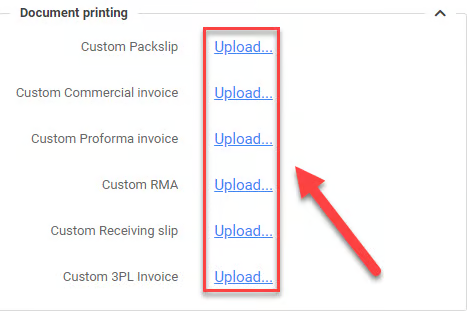
P4W provides an option for users to upload their own custom document for printing including: Custom Packslip, Custom Commercial Invoice, Custom Proforma invoice, Custom RMA, Custom Receiving slip, Custom 3PL Invoice.To upload a custom printing document, click the 'Upload...' link and select a file from your local machine.
{% hint style="info" %}
Notice: click 'Update' button to save changes.
{% endhint %}